
 Image 1 of 5
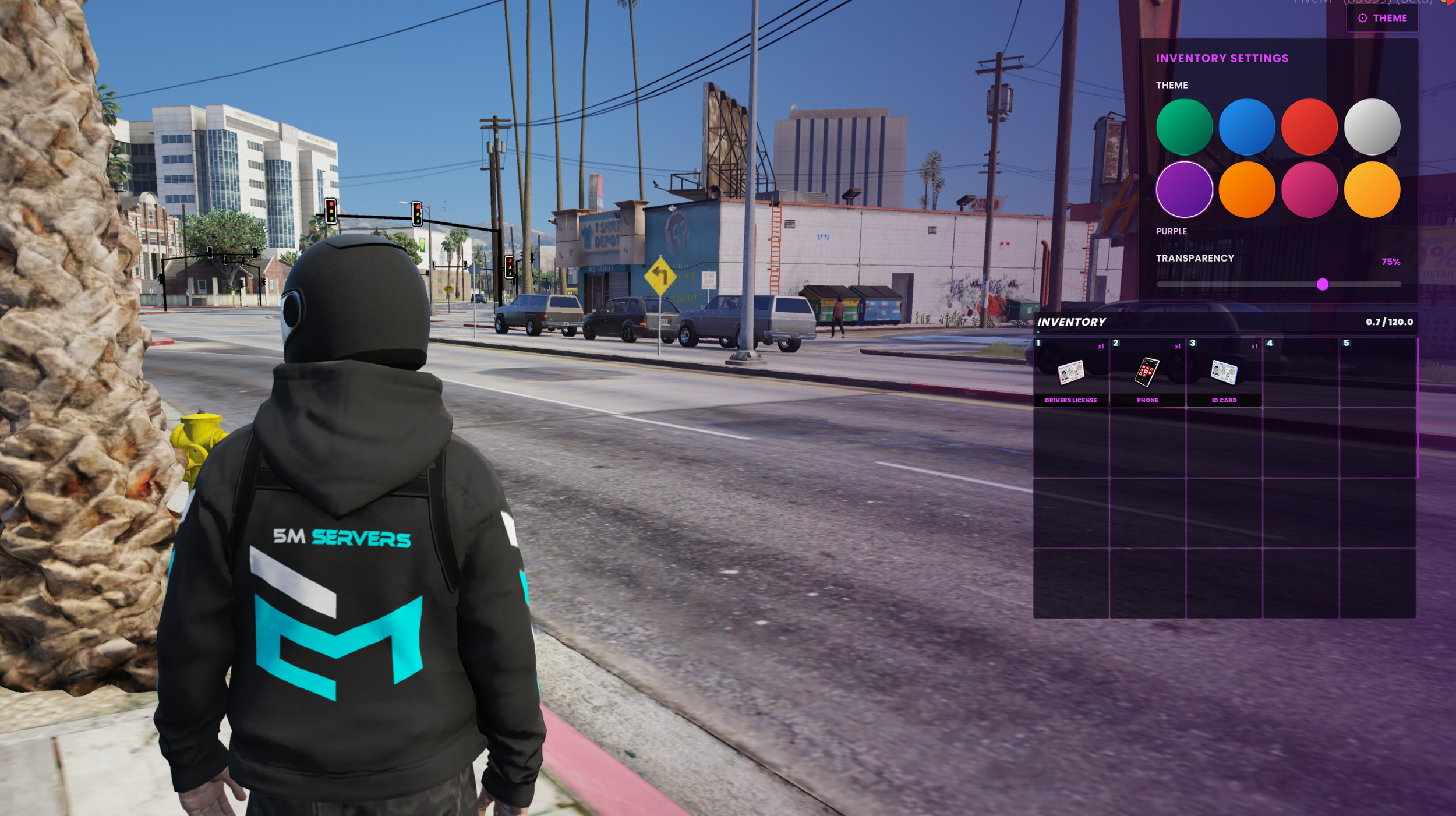 Image 2 of 5
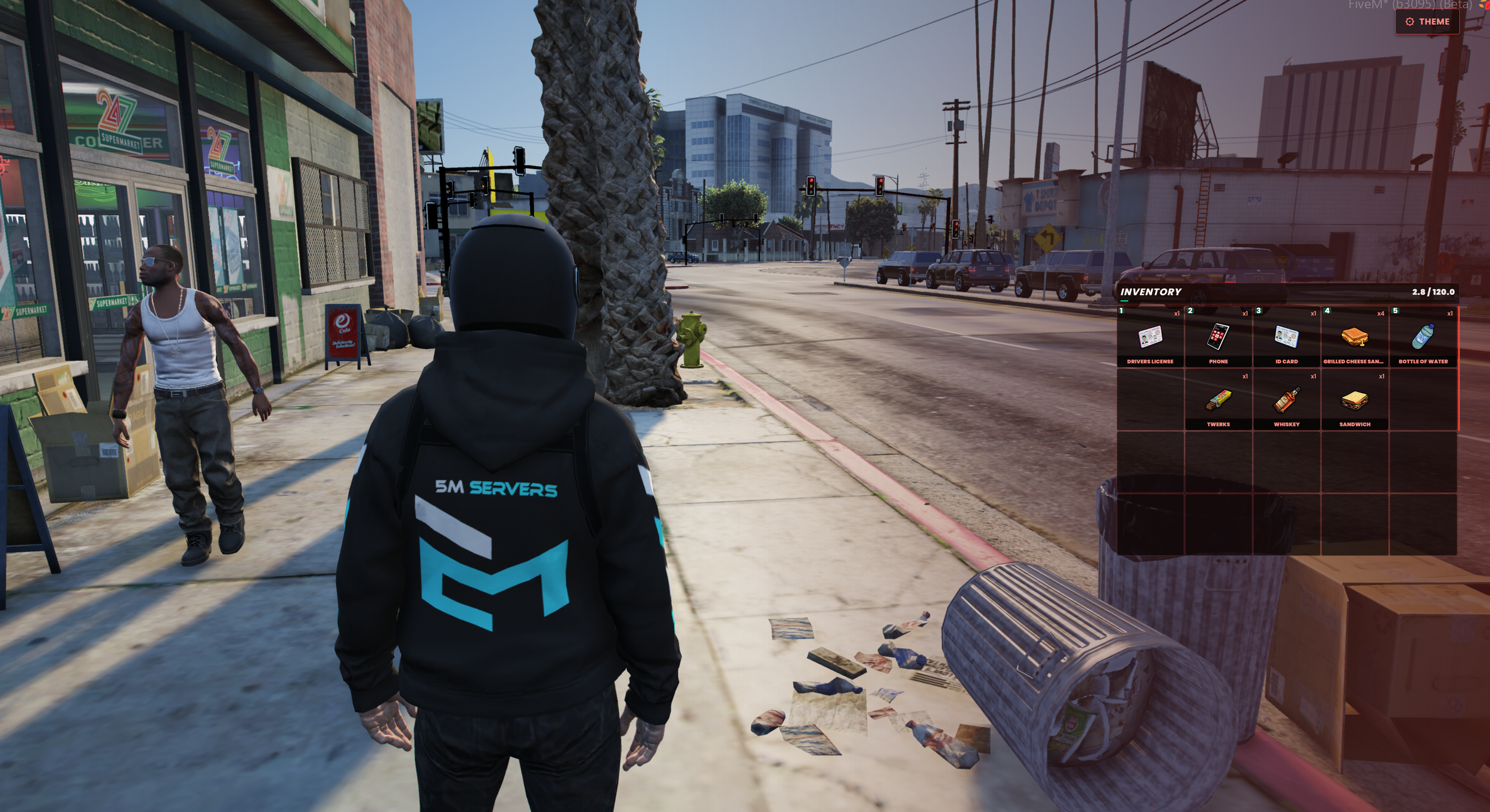 Image 3 of 5
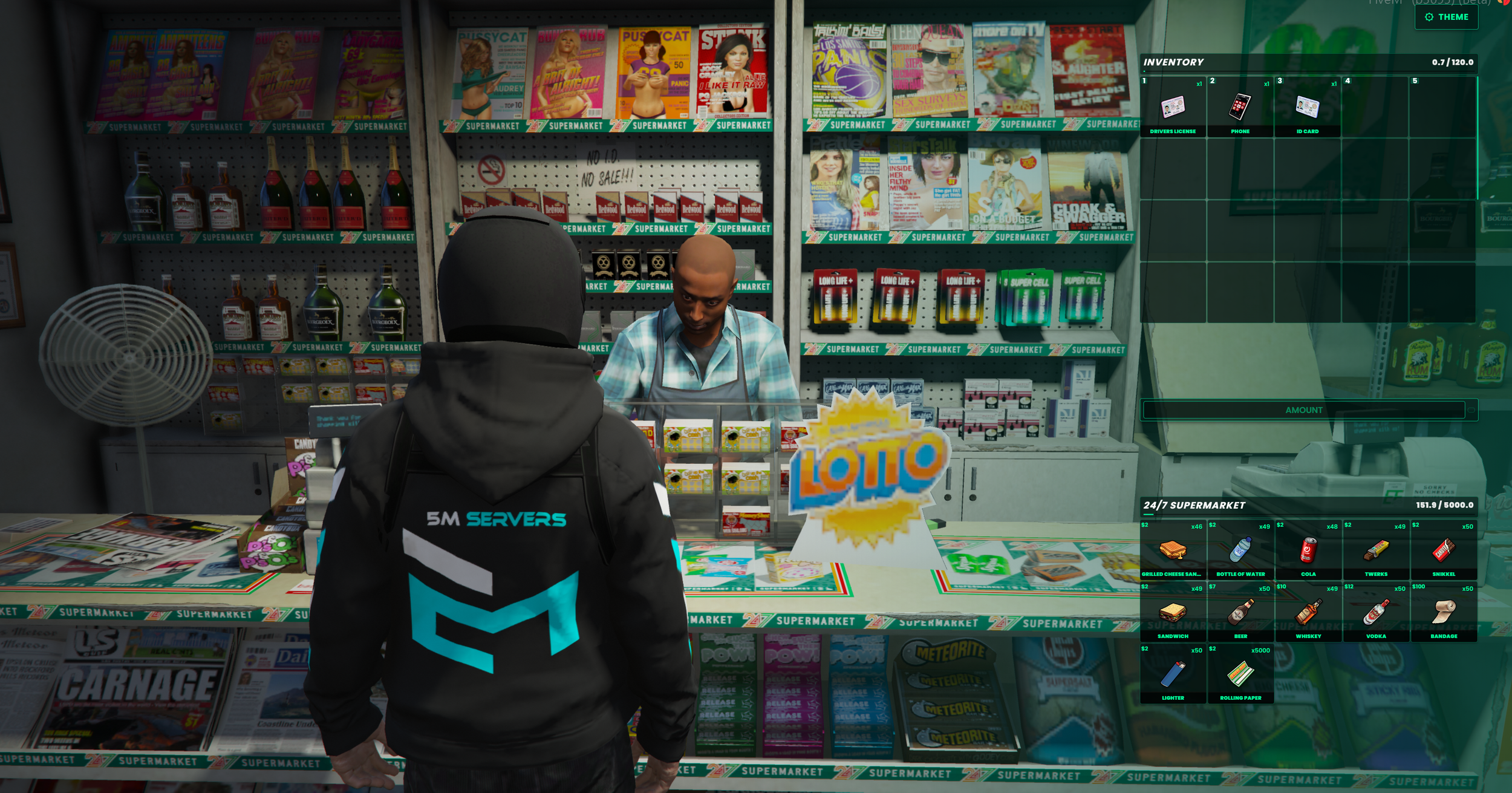 Image 4 of 5
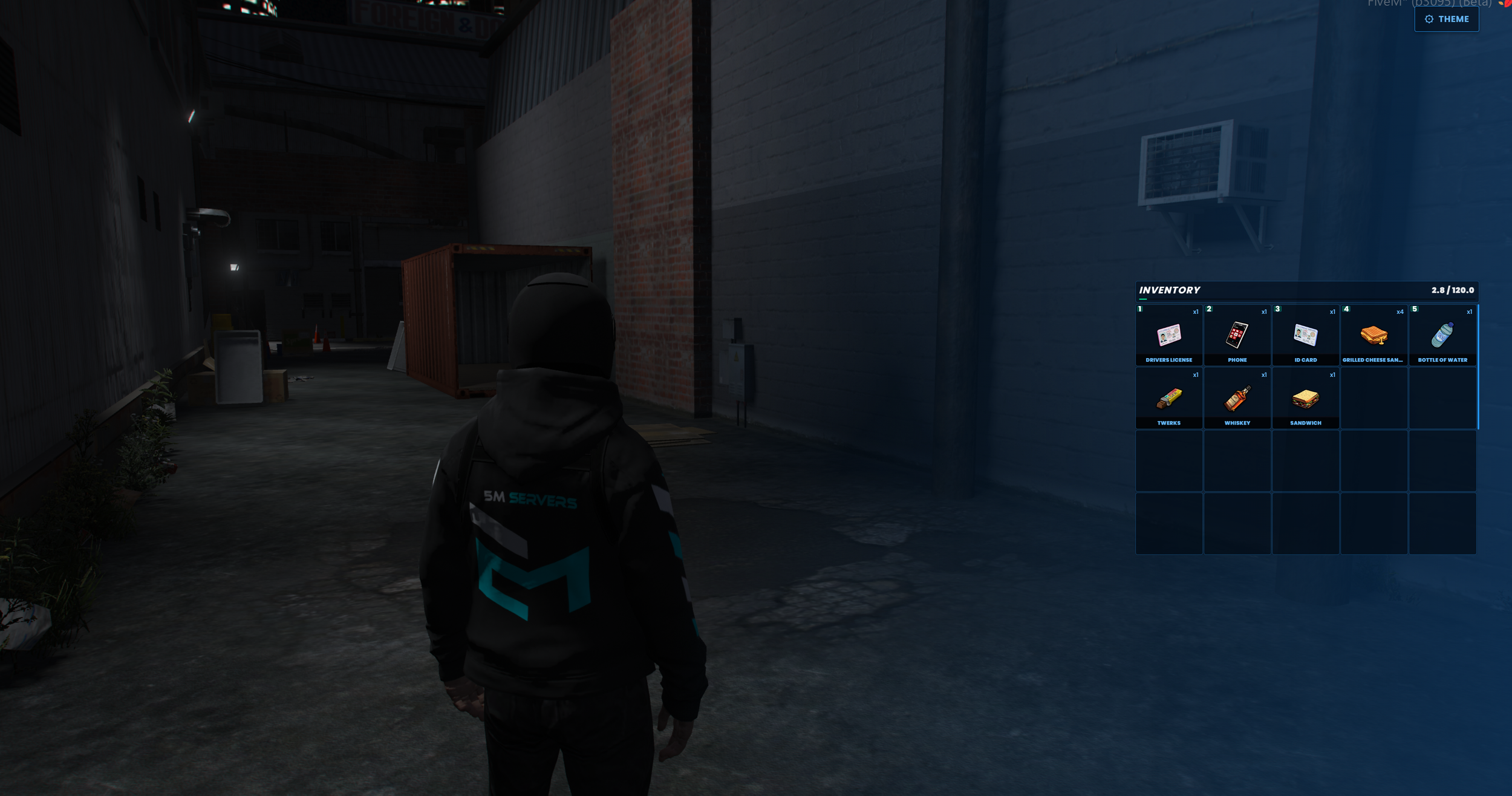 Image 5 of 5
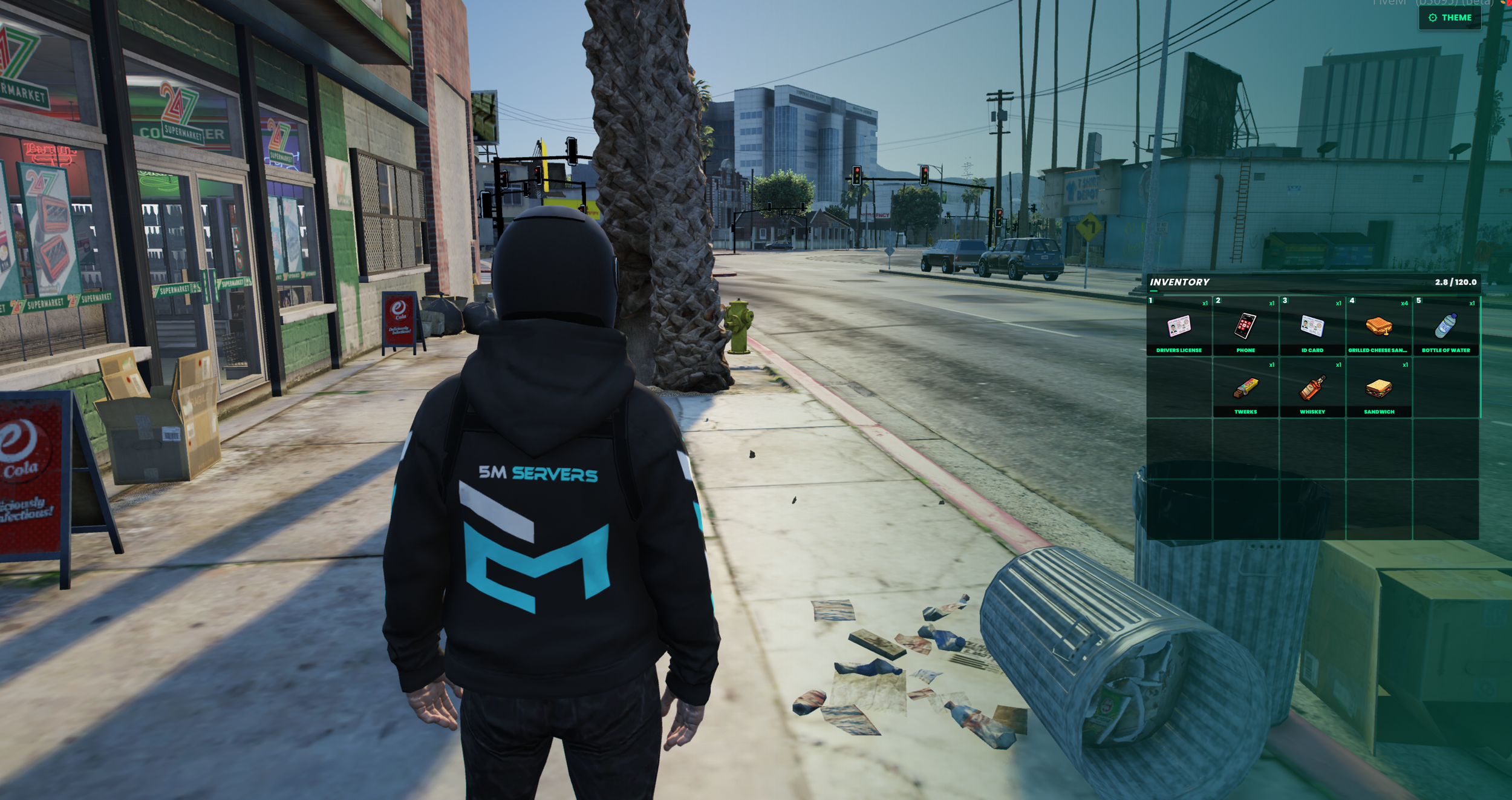
Looking for a free QBCore inventory update download that actually feels modern in-game? This free QBCore inventory restyle download from Caticus at 5M Servers is an open source redesign of qb-inventory built for FiveM servers that want a cleaner interface without paying for a premium pack.
It’s a free FiveM inventory resource and a practical qb-inventory replacement-style update: drag and drop stays intact, the layout is tighter, and players get a custom QBCore inventory interface with selectable themes and adjustable transparency. Settings save per character, so once someone picks a look, it sticks.
This updated qb-inventory UI for FiveM works across the usual inventory surfaces — player inventory, ground drops, vehicle trunk, glovebox, stashes, shops, and places like a police armoury. If you need a responsive QBCore inventory UI that still supports hotbar use and day-to-day RP workflows, this fits that role without turning into a bloated rewrite.
How to install?
Simply swap your original “qb-inventory” script with ours. Make sure to copy and update your items LUA file and also the item images if you have added new items to your server.
What you get
Modern inventory UI for QBCore with a new free design
Custom themes and transparency controls
Drag and drop UI for moving items between inventories
Support for stash, trunk, glovebox, shops, armoury, and drops
Optimized QBCore inventory script focused on a cleaner restyle, not a full framework swap
Fully open source code with no hidden obfuscations or anything to worry about
A complete inventory system created by caticus
Looking for a free QBCore inventory update download that actually feels modern in-game? This free QBCore inventory restyle download from Caticus at 5M Servers is an open source redesign of qb-inventory built for FiveM servers that want a cleaner interface without paying for a premium pack.
It’s a free FiveM inventory resource and a practical qb-inventory replacement-style update: drag and drop stays intact, the layout is tighter, and players get a custom QBCore inventory interface with selectable themes and adjustable transparency. Settings save per character, so once someone picks a look, it sticks.
This updated qb-inventory UI for FiveM works across the usual inventory surfaces — player inventory, ground drops, vehicle trunk, glovebox, stashes, shops, and places like a police armoury. If you need a responsive QBCore inventory UI that still supports hotbar use and day-to-day RP workflows, this fits that role without turning into a bloated rewrite.
How to install?
Simply swap your original “qb-inventory” script with ours. Make sure to copy and update your items LUA file and also the item images if you have added new items to your server.
What you get
Modern inventory UI for QBCore with a new free design
Custom themes and transparency controls
Drag and drop UI for moving items between inventories
Support for stash, trunk, glovebox, shops, armoury, and drops
Optimized QBCore inventory script focused on a cleaner restyle, not a full framework swap
Fully open source code with no hidden obfuscations or anything to worry about
A complete inventory system created by caticus